Customize the password recovery flow with Firebase
Is it worth customizing this? For me, absolutely. From my personal experience, it’s much better to customize it. The default option doesn’t inspire much trust and, honestly, it’s a bit ugly. By default, it looks like this:
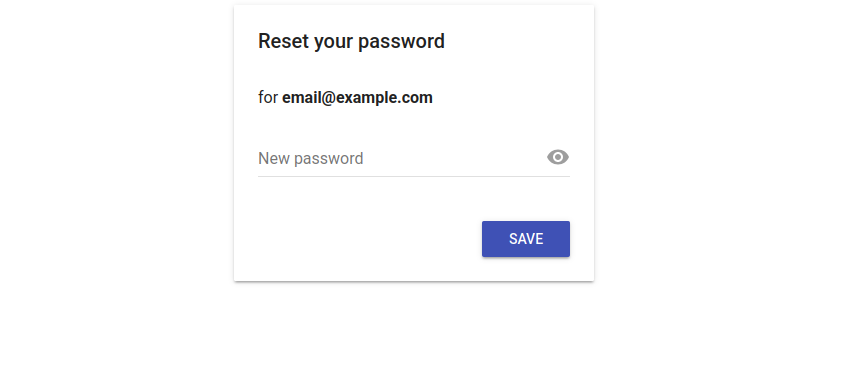
How does it work?
When a password reset is requested, Firebase generates a unique code called oobCode, which is sent through a link by Firebase itself. What I’ll do is, instead of using Google’s default page, configure a React app as the official handler for these codes.
Configuration in the Firebase Console
Before going to the code, you need to grant permission to the application. Follow these steps:
- Go to
Authentication > Settingsand add your domain (e.g. my-app.com or localhost). - In
Authentication > Templates, select the pencil icon in “Password Reset”. Click on “Edit URL” and change the address to yours: https://my-app.com/auth/action.
Implementation with React
We need two key pieces: an action handler and the new password form.
AuthHandler
This component acts like a “traffic light”. It receives the request from Firebase and decides what to do.
import { useEffect } from 'react';
import { useSearchParams, useNavigate } from 'react-router-dom';

const AuthHandler = () => {
  const [searchParams] = useSearchParams();
  const navigate = useNavigate();

  useEffect(() => {
    const mode = searchParams.get('mode'); // 'resetPassword'
    const oobCode = searchParams.get('oobCode'); // The secret token

    if (mode === 'resetPassword') {
      navigate(`/reset-password?oobCode=${oobCode}`);
    } else {
      navigate('/login');
    }
  }, [searchParams, navigate]);

  return <p>Validating security request...</p>;
};
ResetPassword
Firebase’s confirmPasswordReset method is used to complete the process and apply the password change.
import { confirmPasswordReset, getAuth } from "firebase/auth";

const handleReset = async (newPassword) => {
  try {
    await confirmPasswordReset(auth, oobCode, newPassword);
    alert("Success! You can now sign in.");
  } catch (error) {
    alert("The link has expired or is invalid.");
  }
};
Doing this improves the user experience (UX) and also reinforces security, since users will never feel like they are leaving your application. It also gives a better image and a more professional feel compared to using the default Firebase page.