Cloudflare Edge TTL
I recently wrote a post introducing Cloudflare, and this is a follow-up post focused solely on Cloudflare's Edge Cache TTL. You can check out A Beginner's Guide to Cloudflare first.
What it is
Edge Cache TTL controls how long a resource stays cached across Cloudflare's global edge network. Instead of every request hitting the origin server, Cloudflare serves a cached copy from the edge node closest to the visitor.
Edge TTL vs Browser TTL
- Edge TTL: How long Cloudflare's own servers cache it.
- Browser Cache TTL: How long the visitor's browser caches it locally.
Configuration options (Cache Rules)
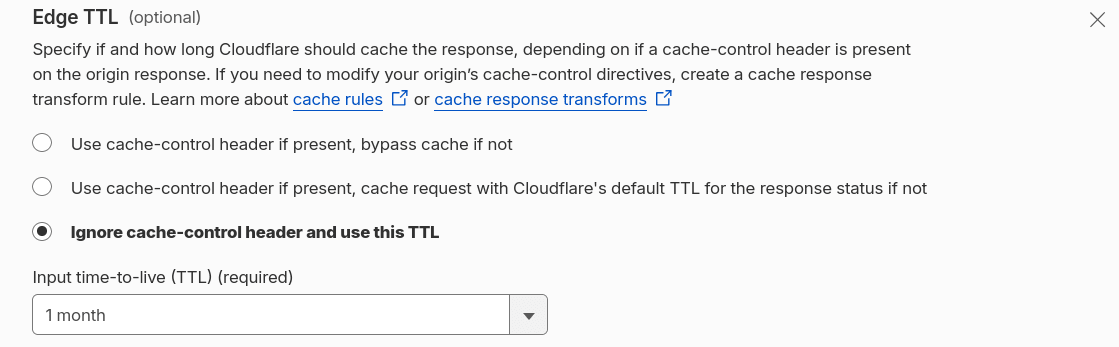
- Use
cache-controlheader if present, othewise bypass (don't cache). - Use
cache-controlheader if present, otherwise fall back to Cloudflare's default TTL behavior. - Ignore
cache-controlentirely and use a fixed TTL you set.
Headers
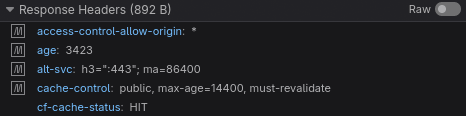
age: How many seconds this copy has been stored in the Cloudflare cache.cf-cache-status: Cloudflare cache status. HIT indicates that the response came from Cloudflare. There are other statuses that can be viewed under Cache Status.
Cloudflare Cache Status
| Status | Meaning |
|---|---|
HIT | Served directly from Cloudflare's cache. Origin was not touched. |
MISS | Cacheable, but not stored this time (first visit or expired). Cloudflare fetched it from origin and cached it. |
EXPIRED | Was cached but its TTL ran out (went stale). Cloudflare is fetching a fresh copy from origin. |
BYPASS | Cloudflare deliberately skipped caching (e.g. a Cache Rule excludes the route, a Set-Cookie header, or Cache-Control: no-store/private on origin). |
DYNAMIC | Cloudflare determined this content isn't cacheable by default (most common case: HTML, which isn't cached unless you create an explicit Cache Rule). |
REVALIDATED | Content had expired, but revalidation with origin (via ETag/If-Modified-Since) returned 304 Not Modified, so the same cached copy is served with a renewed TTL. |
UPDATING | Cache expired, but the stale copy is served while Cloudflare fetches a fresh one in the background (stale-while-revalidate behavior). |
STALE | An expired copy is served because the origin didn't respond in time or returned an error — better to serve something old than nothing. |
IGNORED | Request didn't go through the normal cache pipeline (e.g. method isn't GET or HEAD). |
NONE/UNKNOWN | This resource type or zone configuration doesn't support caching at all — never evaluated. |
Purge Cache
The Purge Cache feature allows you to manually clear the content stored in the Cloudflare cache, without having to wait for the Edge TTL to expire.
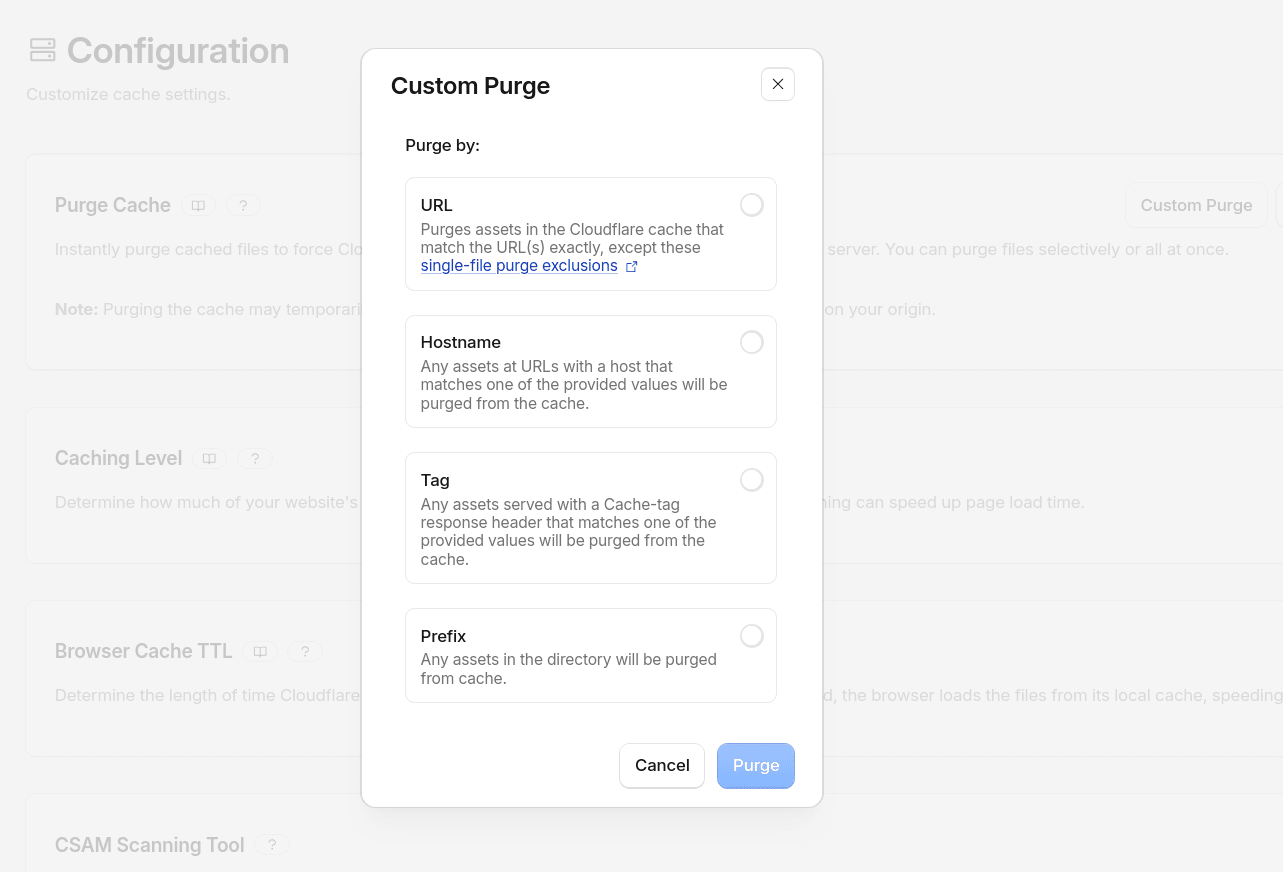
- Purge Everything: Clears your zone's entire cache in one go. Everything on your next visit to any resource will result in a MISS.
- Purge by URL: You clear only the specific URLS that have changed.
- Purge by hostname: Clears the cache for a specific subdomain without affecting others.
- Purge by tag or prefix: Allows you to tag resources when caching them and purge only that group with a single command.
Example excluding a dynamic route from caching
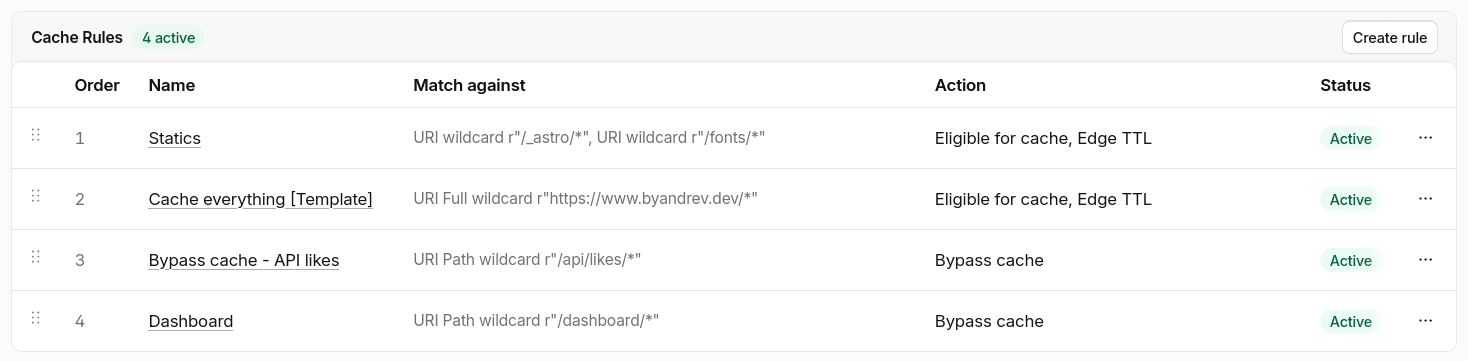
Cache Rules run in order, the last matching rule wins. To bypass cache for one path while keeping a broad rule for everything else, two options:
Separate bypass rule
Place after the general rule in the list:
When: http.request.uri.path wildcard "/api/likes/*"
Then: Cache eligibility → Bypass cache
Is explicit, anyone reading the rules later immediately understands that /api/likes/* is bypassed on purpose.
Exclude the path in the existing rule
http.host eq "www.example.dev" and not starts_with(http.request.uri.path, "/api/likes/")
Works, but the exclusion is implicit, buried in a not clause instead of being its own visible rule.
For example, I have these cache rules for my blog:
Browser TTL
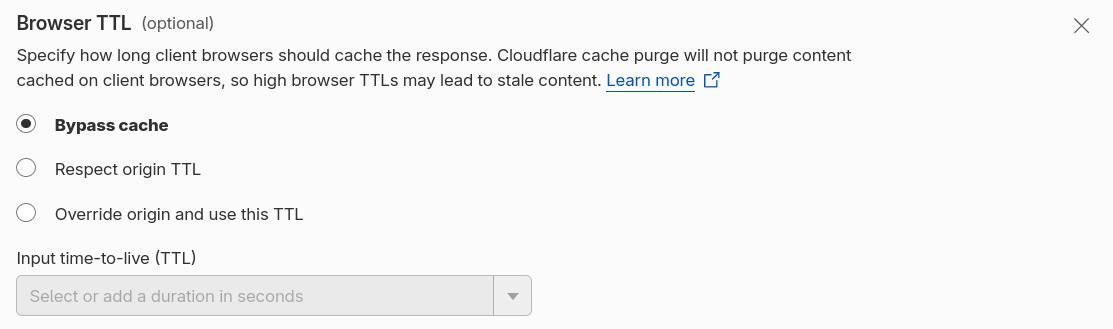
This option is located under Caching > Cache Rules when you create or edit a rule. It is the equivalent of Edge TTL, but for the visitor's browser, not for Cloudflare's servers. There are 3 options available:
Bypass cache: It does not store anything in the browser cache.Respect origin: Cloudflare forwards theCache-Controlheader sent by the origin exactly as it is.Override origin: Ignore whatever your source says and force the browser to use a TTL value that you define.
Cache Key
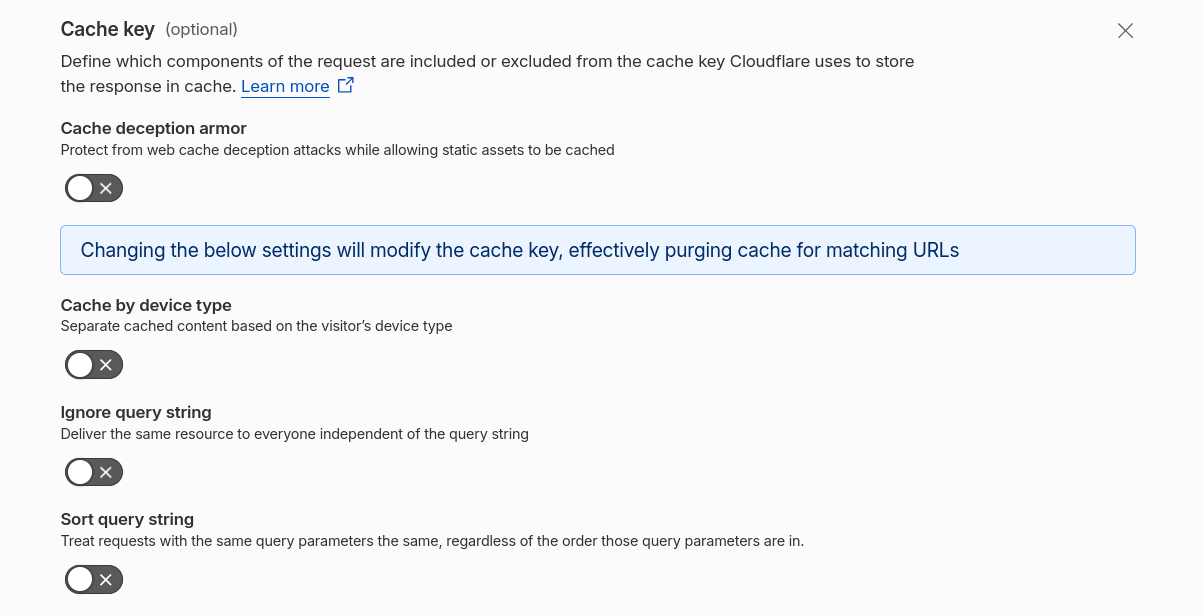
The cache key is used by Cloudflare to determine whether two requests are for the same page or different pages for caching purposes. By default, Cloudflare constructs the key using the host, path, and the entire query string.
That is why /products?id=5 and /products?id=5&utm_source=facebook are considered two different pages even though the HTML is the same.
We can configure this in Caching > Cache Rules when you create or edit a rule.:
- Cache deception armor: Protection against a specific attack where someone tricks Cloudflare into caching a dynamic response under a route that appears to be static.
- Cache by device type: Separates the cache between mobile, desktop, and tablet.
- Ignore query string: Treats all variants of
?x=xas the same page. - Sort query string params: Normalizes the order; for example,
?b=2&a=1and?a=1&b=2would be considered the same.